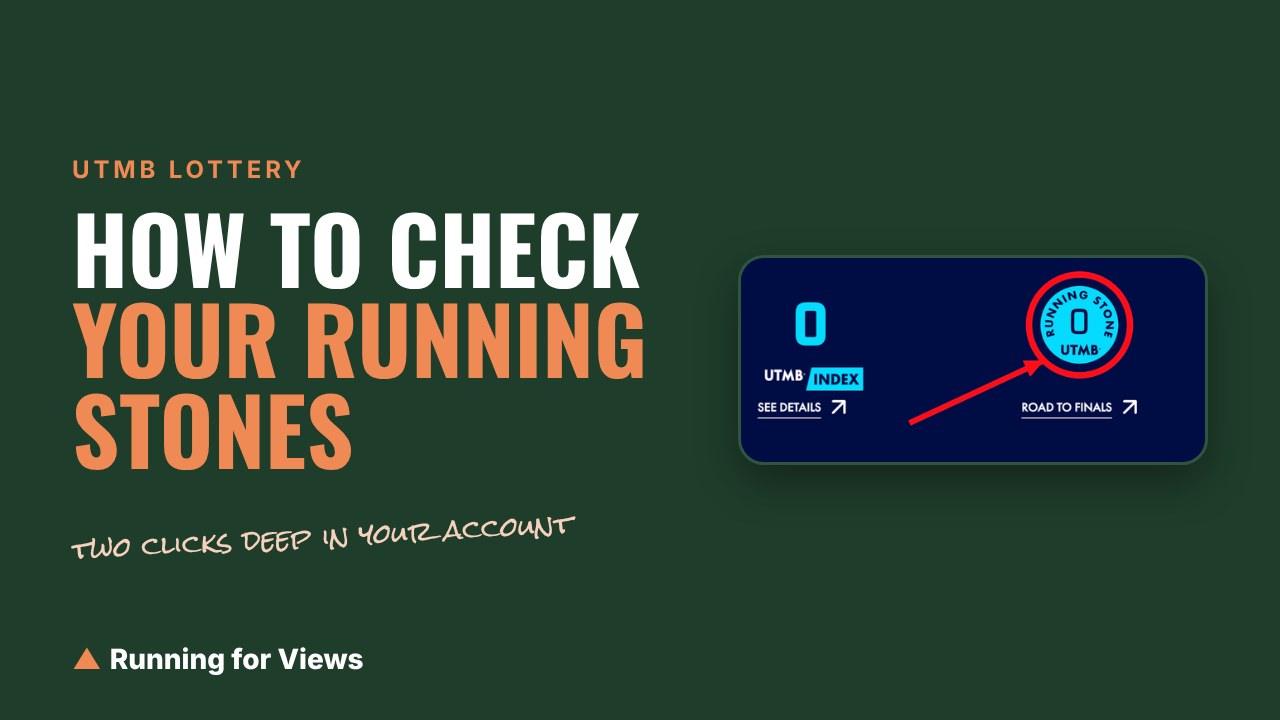
Every few weeks someone asks me some version of the same question: how do I actually see how many Running Stones I have? It is a fair question. The number exists, UTMB tracks it precisely, and it is buried two clicks deep in a menu most people never open.
Here is where it lives, how to read it, and the one part of the system that catches almost everybody out.
Quick answers
- Where the number is: utmb.world, log in, MYUTMB in the top right corner, then My Road to the Finals.
- Direct address: utmb.world/my-utmb/my-road-to-utmb
- What you see: your total in a blue Running Stone circle, three eligibility cards, and a dated list of every stone you have earned and spent.
- The catch: getting a place in the lottery uses your stones up. Not being selected does not.
- Finals do not pay: finishing UTMB, CCC or OCC earns you no stones toward the next one.
How to check your Running Stones
1. Go to utmb.world and log in. This is the World Series site, not the Mont-Blanc race site. Same account, different address, and the stones only live on this one.
2. Click MYUTMB in the top right corner. It is the pale blue block at the far right of the dark header bar, next to the little person icon. Clicking it opens a menu with your name at the top.
3. Choose My Road to the Finals. It is the sixth item down, under My Information. This is the page nobody finds, because nothing on the rest of the site points at it.
4. Read the circle at the top. On the right side of your name you get two numbers: your UTMB Index, and a blue circle labeled RUNNING STONE with your current total in the middle. That total is the number that matters in the lottery.

Circled in red, because Jake is right that it is too hard to find. One small badge in the top right corner of the page, next to your UTMB Index, and nothing about it tells you this is the number the lottery actually counts.
5. Scroll down to My Running Stones. Under the status cards there is a dated list of every single stone that has come in or gone out. This is the part worth actually reading, and I will come back to it.
If you want to skip the menu entirely, bookmark utmb.world/my-utmb/my-road-to-utmb and go straight there.
What the three status cards mean
Between the circle and the list you get three cards under My Status. They confuse people because they are labeled by index category instead of by race name. Here is the translation:
- Minimum required UTMB Index of 100k is the row for UTMB and TDS.
- Minimum required UTMB Index of 50k is the row for CCC.
- Minimum required UTMB Index of 20k is the row for OCC.
Each card tells you the same two things in plain language: whether you hold a valid UTMB Index in that category, and how many Running Stones you have. If either one is missing, the card says I am not eligible to participate in the lottery, and it means it. Stones without an index gets you nowhere, and an index without a stone gets you nowhere either.
How to read the Running Stones list
Every line has a date, a number, a reason, and a race. The reason is the useful bit:
- Finisher is a stone you earned by finishing a World Series race. The race name and year sit next to it.
- Registration is a stone you spent. It shows as a minus.
So a line reading +1 Finisher next to a 20K race is one stone in the bank. A line reading -2 Registration next to a Mont-Blanc race is two stones gone, spent on getting a place.
You may also see a line that is tied to the lottery itself rather than to a race you ran. Whatever the label says, the list is the source of truth for your balance. If the total in the circle looks wrong, add up the list and you will usually find the line that explains it.
The part that catches people out: getting in costs you your stones
This is the thing I wish someone had spelled out for me.
Running Stones are not a permanent rank you climb. They are more like tickets. Every stone you hold is one more entry in the draw, and you can pile them up over years. But the moment the lottery gives you a place, the stones you entered with are used up. They come off your balance as that minus line labeled Registration, and you start again from close to zero.
Two things follow from that, and they change how you plan:
Not getting picked is not a waste. If your name does not come out, your stones stay exactly where they are and go into the next lottery with you, on top of whatever you earn in the meantime. That is why people who miss two or three years in a row end up with the big piles.
Finishing the race does not refill the tank. Stones come from finishing a UTMB World Series Event or a World Series Major. The Mont-Blanc finals are not World Series Events, so crossing that line in Chamonix earns you nothing toward getting back. If you want to come back, you need a fresh qualifying race after your finals year, same as anyone else.
There is one small mercy. If you commit to the low carbon travel bonus, get selected, and then cannot meet the travel commitment, your entry is cancelled without a refund but your stones are returned.
Do Running Stones expire?
Not exactly, and the distinction matters.
The stones themselves keep adding up with no expiry date. What expires is your eligibility: to enter the lottery at all you need at least one stone earned in the last 24 months. Let two full years go by without a World Series finish and the pile is still sitting there, but you cannot use it until you go and earn one more.
Your UTMB Index works on a similar clock. It needs a qualifying finish inside the last 24 months to stay valid in a category.
Practical version: one World Series race every two years keeps everything alive.
If your stones are not showing up
Before assuming something broke, check these in order:
- Are you in the right account? Plenty of runners have accidentally created a second UTMB account over the years. Stones sit in whichever one was attached to the race entry.
- Does the name match? If you entered a race under a different spelling, a maiden name, or a nickname, the result may not have attached itself to your profile.
- Was it actually a World Series race? A hard mountain hundred is not automatically a qualifying race. Only races in the UTMB World Series pay stones, and the race's own site will say so clearly.
If all three check out and the result still is not there, use Help and Contact in the same MyUTMB menu. That is the route to a human.
Now that you know your number
The number on its own does not tell you much. What you probably want to know is whether it is enough, and what to run if it is not.
That is exactly what I built the Running Stones Planner for. Put in the number you just found, pick the race and year you are chasing, and it will tell you how you compare to the runners who actually got picked, and lay out which races could close the gap before the next lottery.
And if you are chasing an index as well as stones, the training plans are all free.
This is an independent guide and is not affiliated with UTMB. The entry rules change most seasons, so check the official registration conditions before you plan a year around them. Last checked September 18, 2026.